.jpg)



How do I add a user to Merchant Portal?
Copy link to clipboard

To add a new Merchant Portal User:
- Open Merchant Portal and select User Management from the user dropdown.
- Select Create New User.
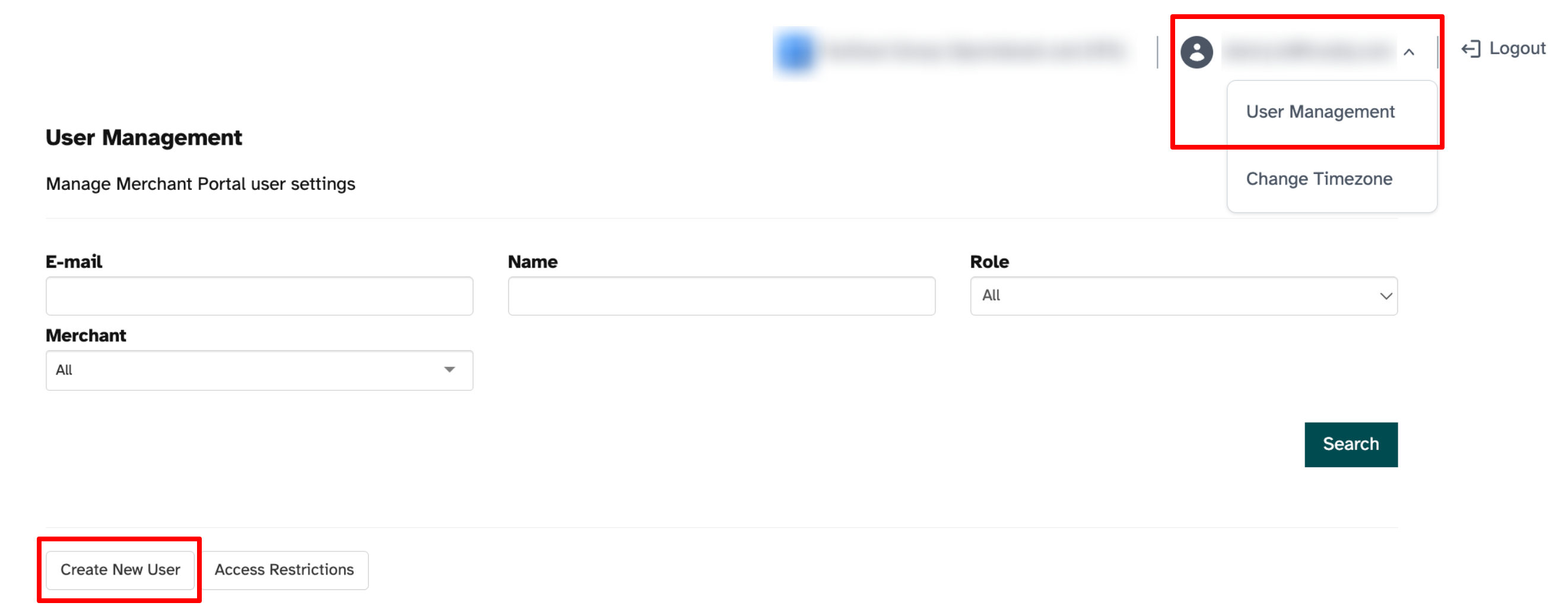
- Enter the following new user information:
- Role
- Name
- Email address (Note: When logging in, this field is NOT case sensitive.)
- Auth Type should remain the default, Standard
- Select Save.
An email is sent to the account you entered with instructions to complete the registration.
Thank you! Your submission has been received!
Oops! Something went wrong while submitting the form.

.svg)