.jpg)



How do I read the Reconciliation report?

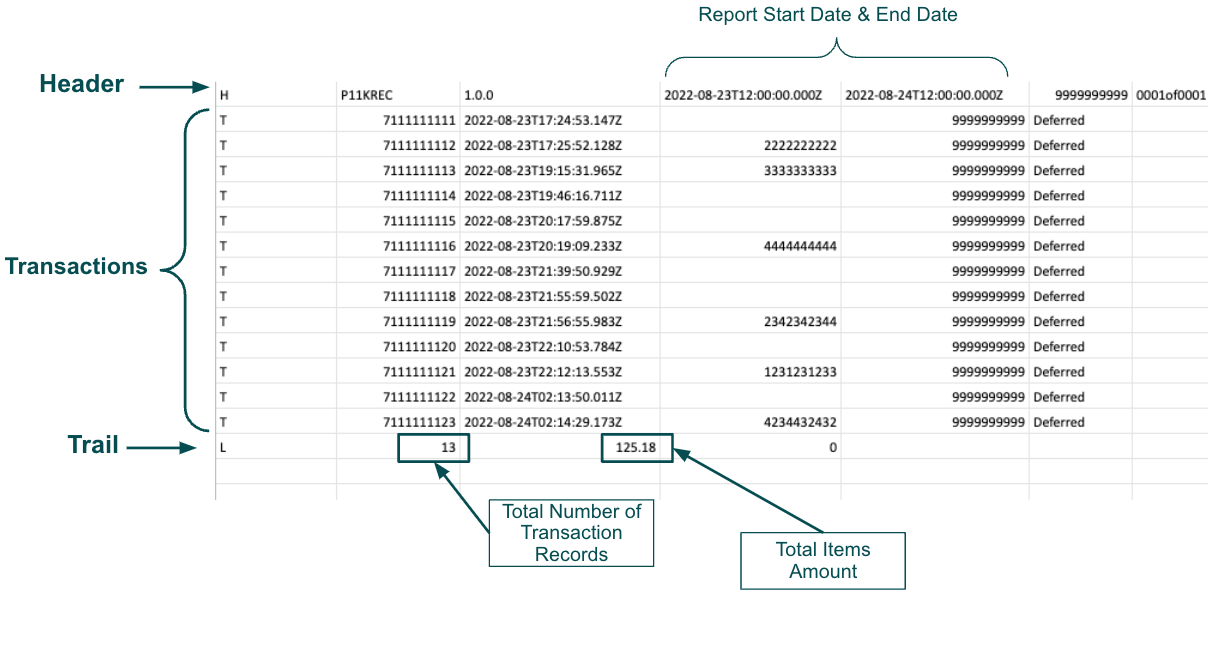
The Reconciliation Report consists of individual rows of data. Each row provides one of three types of data:
- Header
- Transaction Record, or
- Trail
Each row contains only one type of data and begins with a Record Type Indicator, which conveys the data type. For example, the file header rows indicator is H while the individual transaction rows have an indicator of T.

Every report begins with the Header and ends with the Trail.
All transaction records in the report reflect the transactions created during the reporting period. The transaction status will reflect the current status for the record.
Some transactions will have a parent transaction ID, or original transaction ID, as shown in the example below. The original transaction was an authorization, and then the child transaction was the capture.
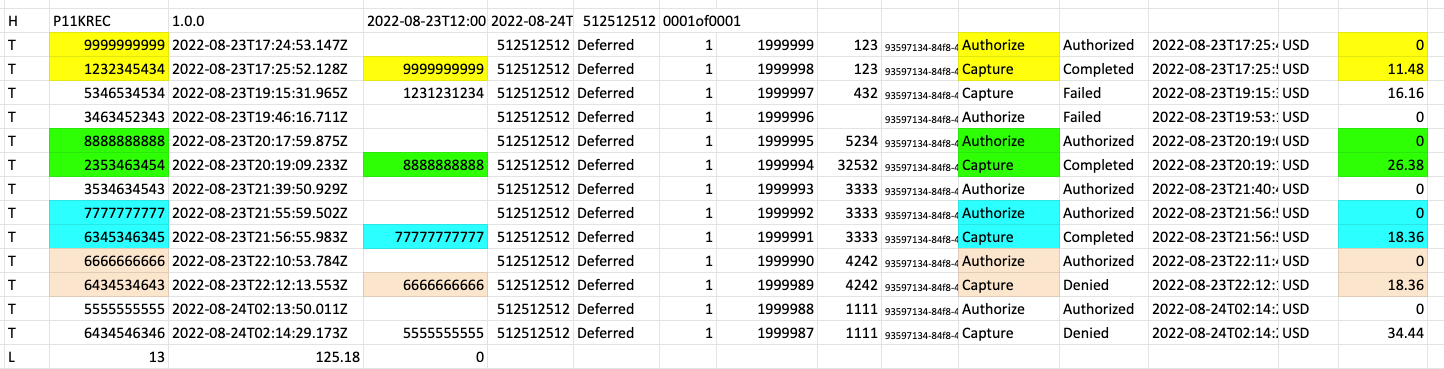
The trail shows how many transactions were part of the report and the total amount of the transactions created during the reporting period.
For detailed information about the fields and the information contained within the fields, please refer to the Trustly Merchant Settlement & Reconciliation Report guide available from your Merchant Success Manager (MSM).

.svg)